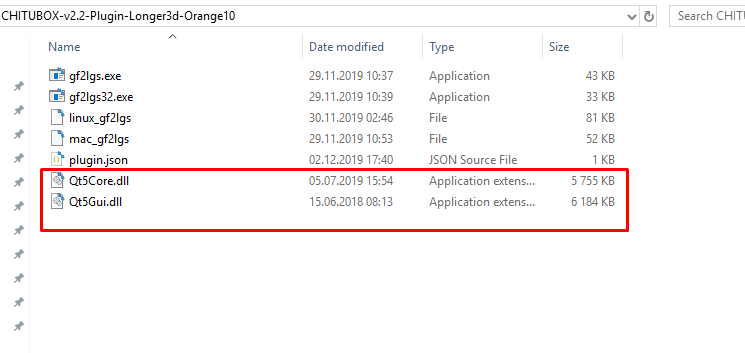
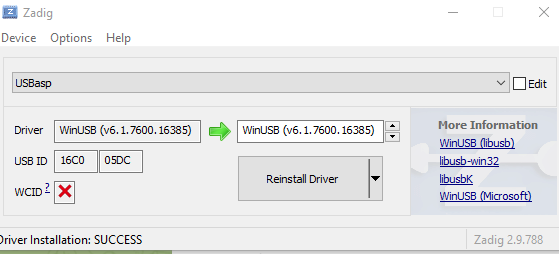
I had to open that plugin via 7zip then put some QT dlls into it
Import this plugin via Help->Plugins
Here it is: https://files.fm/f/86b5xp6hz2

You can also extract and use as standalone via cmd.exe
Blog about electronics, Magento 2 and related things
I had to open that plugin via 7zip then put some QT dlls into it
Import this plugin via Help->Plugins
Here it is: https://files.fm/f/86b5xp6hz2

You can also extract and use as standalone via cmd.exe
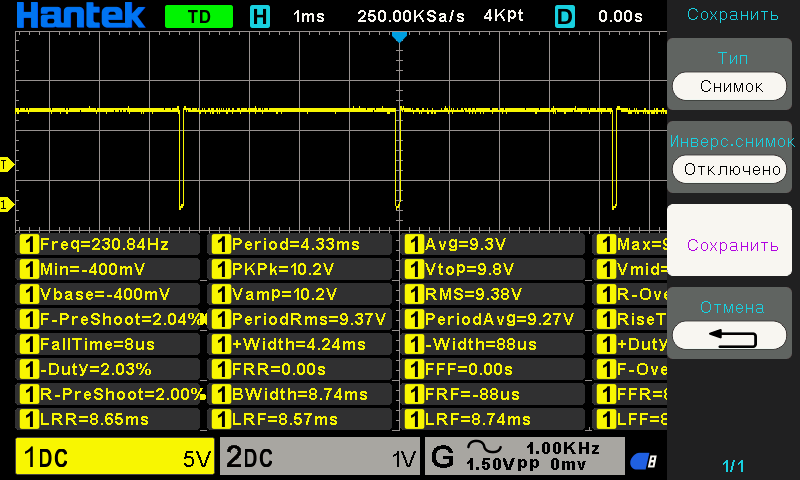
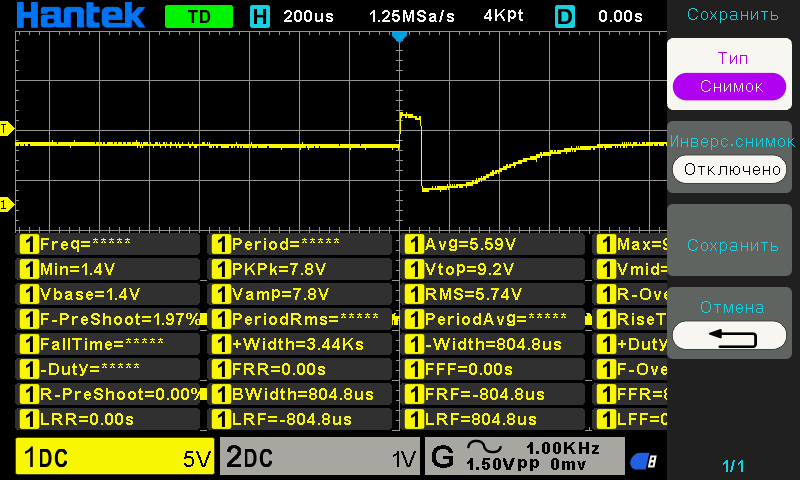
NE555 3 pin output

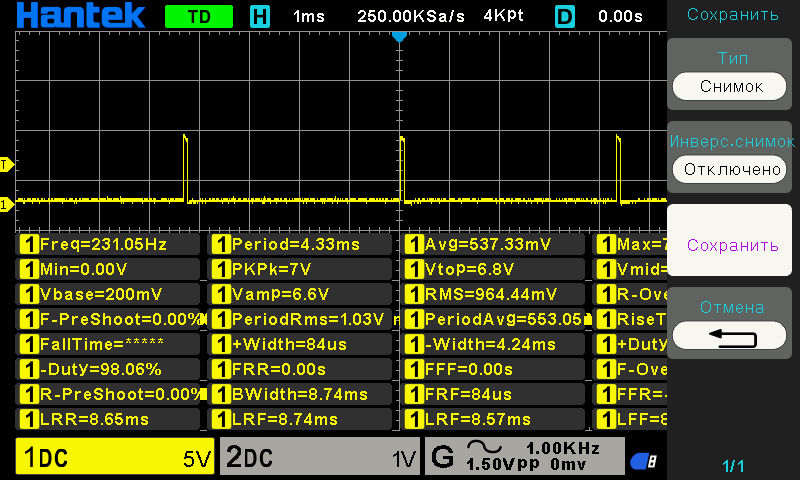
Mosfet Gate

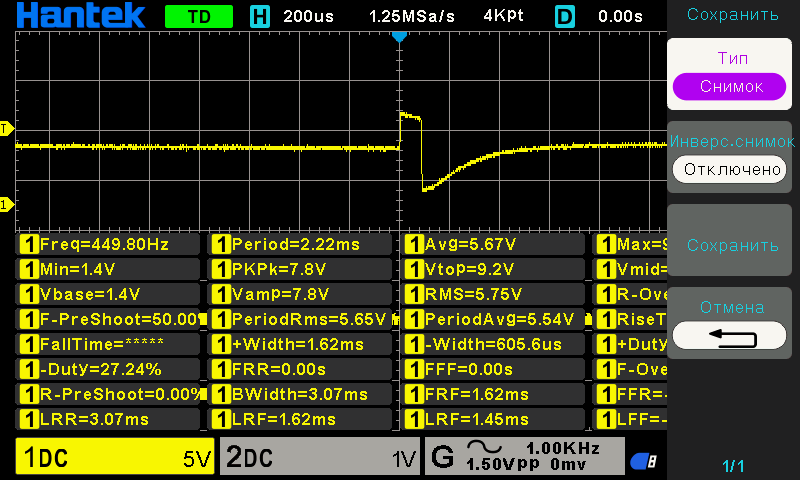
Opamp input after diodes (no metal near coil)

Opamp input after diodes (there is metal near coil)

Useful if your custom controller is not firing
Places to check:
vendor/magento/framework/App/FrontController.php
while (!$request->isDispatched() && $routingCycleCounter++ < 100) {
/** @var \Magento\Framework\App\RouterInterface $router */
foreach ($this->_routerList as $router) {
try {
$actionInstance = $router->match($request);
if ($actionInstance) {
$result = $this->processRequest(
vendor/magento/framework/App/Router/Base.php
foreach ($modules as $moduleName) {
$currentModuleName = $moduleName;
$actionClassName = $this->actionList->get($moduleName, $this->pathPrefix, $actionPath, $action);
if (!$actionClassName || !is_subclass_of($actionClassName, $this->actionInterface)) {
continue;
}
$actionInstance = $this->actionFactory->create($actionClassName);
break;
}

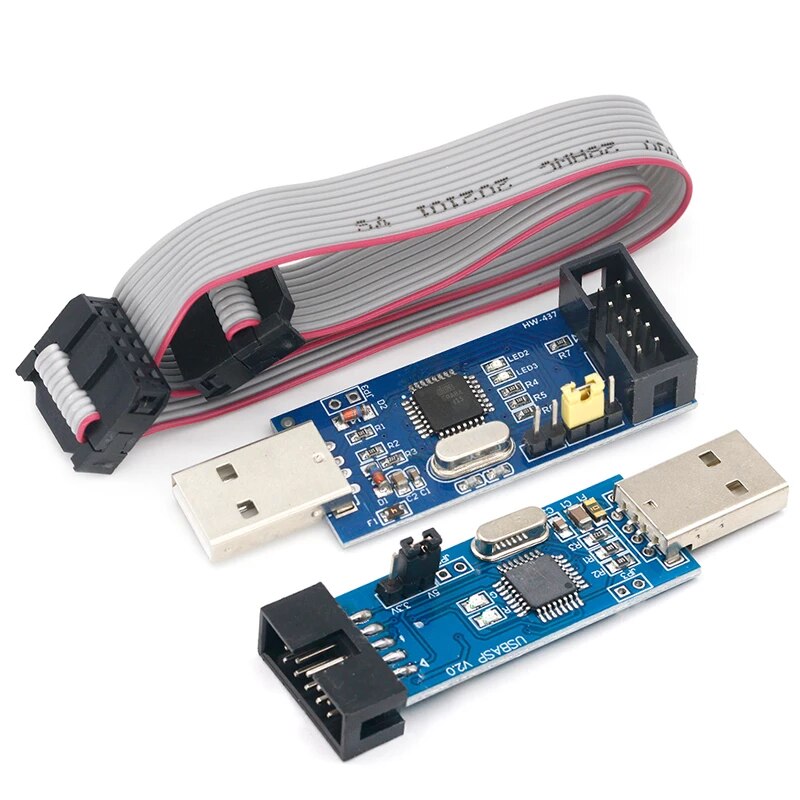
main.hex firmware with an inversion of RESET pin:
https://drive.google.com/file/d/1QiRvCN29H0l-Kq0eJhdKs3WfHdrvEXrB/view?usp=sharing
source code:
https://drive.google.com/file/d/1-idzOalAeA77U9Ony_UZ1YfTT4d_M8j3/view?usp=sharing
avrdude.conf
https://drive.google.com/file/d/1bEraBArDpIUMMW7dt0KzH7qNNhkQd99W/view?usp=sharing
TARGET=atmega8
HFUSE=0xd9
LFUSE=0x9f
You can just flash the MCU without fuses

env for PlatformIO
[env:AT89S51]
platform = intel_mcs51
board = AT89S51
upload_protocol = custom
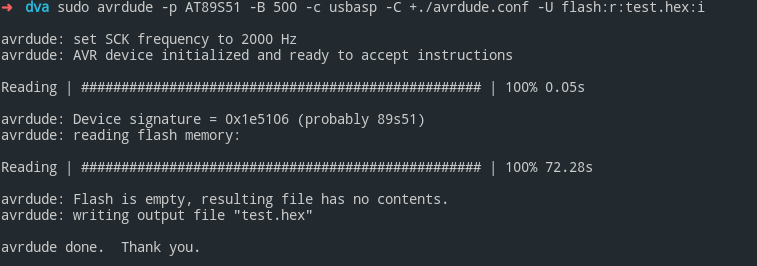
upload_command = sudo avrdude -c usbasp -p at89s51 -U flash:w:$SOURCE:i -C +./avrdude.conf
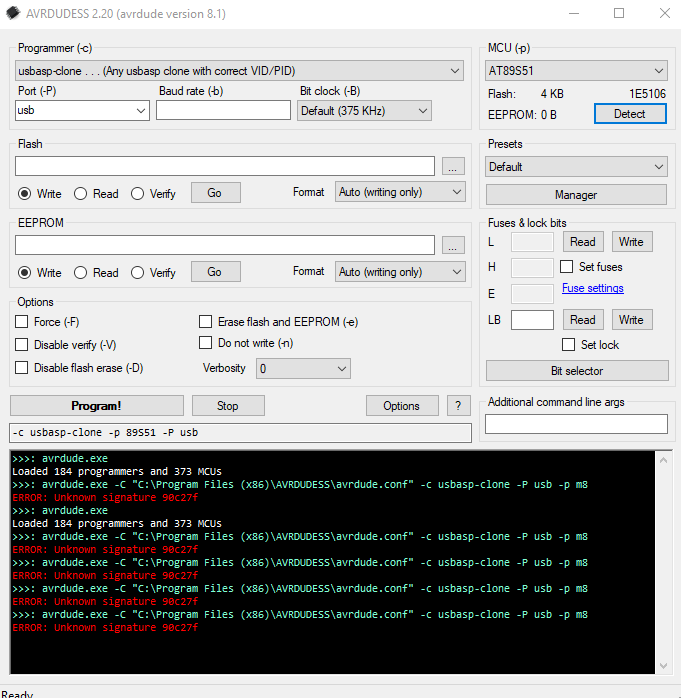
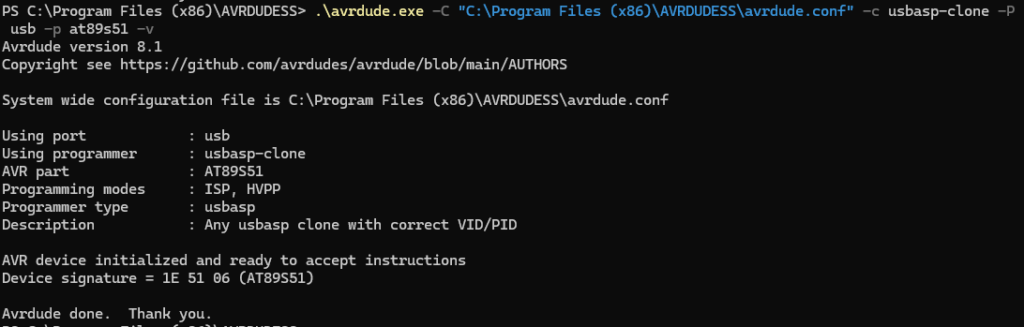
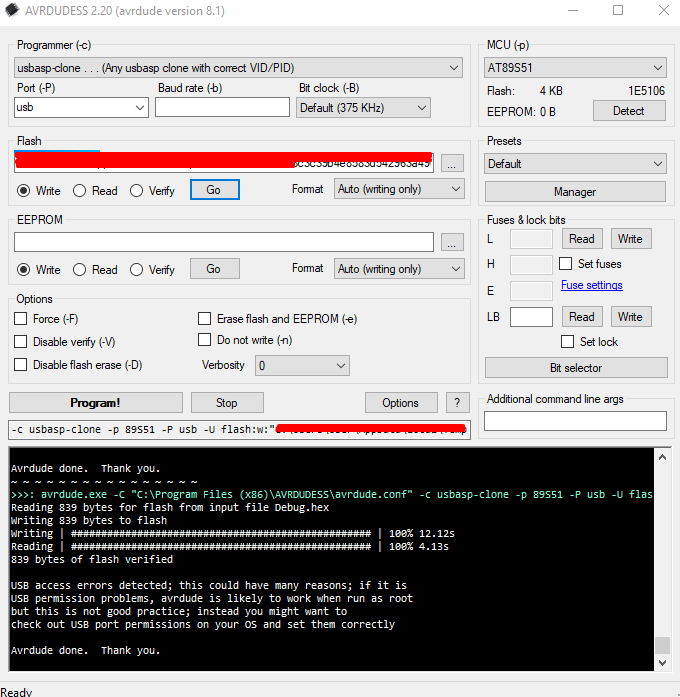
Or Avrdudess for Windows has a bug 2026y (it tries to detect as atmega8 but read write works)


Manually detect works fine

Config for avrdude.cong taken from AVRDUDESS
#------------------------------------------------------------
# AT89S51
#------------------------------------------------------------
# MCS-51 family part
# - Tested with -c avrisp
# - USBASP programmers may require different firmware
part # 89S51
desc = "AT89S51";
id = "89S51";
variants =
"AT89S51: N/A, Fmax=33 MHz, T=[N/A, N/A], Vcc=[4 V, 5.5 V]",
"AT89S51-24AU: TQFP44, Fmax=24 MHz, T=[-40 C, 85 C], Vcc=[4 V, 5.5 V]",
"AT89S51-24JU: PLCC44, Fmax=24 MHz, T=[-40 C, 85 C], Vcc=[4 V, 5.5 V]",
"AT89S51-24PU: PDIP40, Fmax=24 MHz, T=[-40 C, 85 C], Vcc=[4 V, 5.5 V]";
prog_modes = PM_ISP | PM_HVPP;
mcuid = 372;
archnum = -1; # Not 8-bit AVR
stk500_devcode = 0xe0;
chip_erase_delay = 250000;
signature = 0x1e 0x51 0x06;
timeout = 200;
stabdelay = 100;
cmdexedelay = 25;
synchloops = 32;
pollindex = 4;
pollvalue = 0x69;
predelay = 1;
postdelay = 1;
chiperasepulsewidth = 15;
programfusepulsewidth = 2;
programlockpolltimeout = 1;
chip_erase = "1010.1100--100x.xxxx--xxxx.xxxx--xxxx.xxxx";
pgm_enable = "1010.1100--0101.0011--xxxx.xxxx--xxxx.xxxx";
memory "flash"
size = 4096;
min_write_delay = 4500;
max_write_delay = 4500;
readback = 0xff 0xff;
mode = 0x02;
delay = 10;
blocksize = 256;
read = "0010.0000--xxxa.aaaa--aaaa.aaaa--oooo.oooo";
write = "0100.0000--xxxa.aaaa--aaaa.aaaa--iiii.iiii";
# Nonstandard page mode is available but not implemented
;
memory "lock"
size = 1;
read = "0010.0100--xxxx.xxxx--xxxx.xxxx--xxxo.ooxx";
# Nonstandard write: expect verification errors
# See datasheet Page 20, Note 1 https://ww1.microchip.com/downloads/en/DeviceDoc/doc2487.pdf
# Activate lock mode 0 through chip erase: avrdude -e
# Activate lock mode 1: avrdude -e -V -U lock:w:1:m
# Activate lock mode 2: avrdude -e -V -U lock:w:1:m -U lock:w:2:m
# Activate lock mode 3: avrdude -e -V -U lock:w:1:m -U lock:w:2:m -U lock:w:3:m
write = "1010.1100--1110.00ii--xxxx.xxxx--xxxx.xxxx";
;
memory "signature"
size = 3;
read = "0 0 1 0 1 0 0 0 x x x x x x a1 a0 x x x x x x x 0 o o o o o o o o";
;
;
#------------------------------------------------------------
# AT89S52
#------------------------------------------------------------
part parent "89S51" # 89S52
desc = "AT89S52";
id = "89S52";
variants =
"AT89S52: N/A, Fmax=33 MHz, T=[N/A, N/A], Vcc=[4 V, 5.5 V]",
"AT89S52-24AU: TQFP44, Fmax=24 MHz, T=[-40 C, 85 C], Vcc=[4 V, 5.5 V]",
"AT89S52-24AUR: TQFP44, Fmax=24 MHz, T=[-40 C, 85 C], Vcc=[4 V, 5.5 V]",
"AT89S52-24JU: PLCC44, Fmax=24 MHz, T=[-40 C, 85 C], Vcc=[4 V, 5.5 V]",
"AT89S52-24PU: PDIP40, Fmax=24 MHz, T=[-40 C, 85 C], Vcc=[4 V, 5.5 V]";
mcuid = 373;
stk500_devcode = 0xe1;
signature = 0x1e 0x52 0x06;
memory "flash"
size = 8192;
;
;

/etc/events.xml
<?xml version="1.0"?>
<config xmlns:xsi="http://www.w3.org/2001/XMLSchema-instance" xsi:noNamespaceSchemaLocation="urn:magento:framework:Event/etc/events.xsd"></event>
<event name="layout_generate_blocks_after">
<observer name="layout_generate_blocks_after" instance="Module\Wishlist\Observer\Layout" />
</event>
</config>
Observer
<?php
/** * Create "Layout.php" at onlinecode/Dev/Model/Layout.php */
namespace Module\Wishlist\Observer;
use Magento\Framework\Event\Observer;
use Magento\Framework\Event\ObserverInterface;
class Layout implements ObserverInterface
{
protected $set_logger;
public function __construct(\Psr\Log\LoggerInterface $logger_cons)
{
$this->set_logger = $logger_cons;
}
public function execute(\Magento\Framework\Event\Observer $observer)
{
$get_xml = $observer->getEvent()->getLayout()->getXmlString();
$this->set_logger->debug($get_xml);
$get_writer = new \Zend_Log_Writer_Stream(BP . '/var/log/layout_block.xml');
$get_logger = new \Zend_Log();
$get_logger->addWriter($get_writer);
$get_logger->info($get_xml);
return $this;
}
}
File vendor/magento/module-checkout/Controller/Onepage/Success.php
Should look like:
public function execute()
{
$session = $this->getOnepage()->getCheckout();
$session
->setLastOrderId(OLD_ID)
->setLastRealOrderId('OLD INCREMENT ID')
->setLastOrderStatus('Pending');
Edit file vendor/magento/framework/DB/Statement/Pdo/Mysql.php
return $this->tryExecute(function () use ($params) {
$writer = new \Zend_Log_Writer_Stream(BP . '/var/log/debugSql.log');
$logger = new \Zend_Log();
$logger->addWriter($writer);
$logger->debug($this->_stmt->queryString);
$logger->debug(json_encode($params));
$logger->debug('================');
return $params !== null ? $this->_stmt->execute($params) : $this->_stmt->execute();
});
By help of a script you can send Shipment, Creditmemo etc emails how much you want
<?php
error_reporting(E_ALL);
ini_set('display_errors', 1);
use Magento\Framework\App\Bootstrap;
require 'app/bootstrap.php';
$bootstrap = Bootstrap::create(BP, $_SERVER);
$objectManager = $bootstrap->getObjectManager();
$state = $objectManager->get(Magento\Framework\App\State::class);
$state->setAreaCode(\Magento\Framework\App\Area::AREA_FRONTEND);
$objectManager = \Magento\Framework\App\ObjectManager::getInstance();
/** @var Magento\Store\Model\App\Emulation $emulation */
$emulation = $objectManager->create('Magento\Store\Model\App\Emulation');
$emulation->startEnvironmentEmulation(1, \Magento\Framework\App\Area::AREA_FRONTEND, true);
/** @var \Magento\Sales\Model\ResourceModel\Order\Creditmemo\Collection $shipmentCollection */
$collection = $objectManager->get(\Magento\Sales\Model\ResourceModel\Order\Creditmemo\Collection::class);
/** @var Magento\Sales\Model\Order\Creditmemo $subject */
$subject = $collection->getLastItem();
/** @var Magento\Sales\Model\Order\Email\Sender\CreditmemoSender $sender */
$sender = $objectManager->get(Magento\Sales\Model\Order\Email\Sender\CreditmemoSender::class);
$sender->send($subject);
$emulation->stopEnvironmentEmulation();
echo "Done";
\Magento\Framework\App\ObjectManager::getInstance()
->get(\Psr\Log\LoggerInterface::class)->debug('message');
For custom .log file:
$writer = new \Zend_Log_Writer_Stream(BP . '/var/log/debugSql.log');
$logger = new \Zend_Log();
$logger->addWriter($writer);